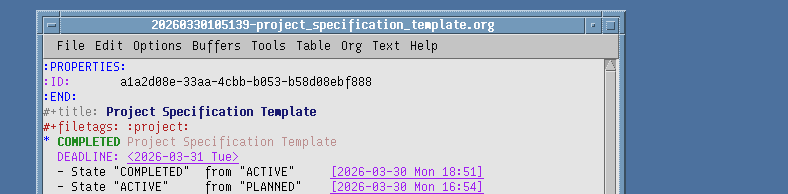
| Date Started | 2026-03-30 16:54 |
| Date Completed | 2026-03-30 18:51 |
I decided my first project had to be a template for how future projects' specification should be written. You could call it a meta project, so to speak, as the project itself wrote its own spec.
As I use GNU Emacs as my main editor together with org mode and org-roam I wanted the spec template to be compatible with it.
Specification
The spec for this project was quite simple:
- Templated headlines.
- Org-Roam and Org-Mode agenda compatible.
- Org-Roam capture template
Execution
The template itself was quite easy to complete as I knew what I wanted to be able to document, and other sections for little additions. I came up with these headlines:
* <project title>
* Specification
** Project Description
** Requirements [0%]
* Task Tracking
* Documentation
* Notes
* Links
Description
- <project title>
-
Filled in with the project title, and the project deadline
- Project Description
-
Some prose describing the project.
- Requirements
-
A list of all required milestones for the spec. The cool thing about this list is for every task listed as completed, org mode will update the percentage next to the headline.
- Task Tracking
-
Any sub tasks will be tracked here if I need to break down the different requirements.
- Documentation
-
A place for me to document what I have done so I don't forget what I have been up to in case the project is longer than a week.
- Notes
-
Basically the same as "Documentation", but for less important information. More of a running reminders section than actually documenting anything.
- Links
-
Any links to other org-roam notes or important external hyperlinks to websites, emails, etc. will be listed here.
Capture Template
To implement the capture, I first had to account for my different todo keywords:
(setq org-todo-keywords
      '((sequence "PLANNED(p)" "ACTIVE(a)" "|" "COMPLETED(c)" "SHELVED(s)")
        (sequence "TODO(t)" "DOING(d)" "|" "COMPLETED(o)" "CANCELLED(l)")
        (sequence "MISSING(m)" "|" "FULFILLED(f)")))
The first line is for the project itself. The second line is for todo's in the task tracking section. The last line is for the different milestones to list if they are missing or fulfilled.
I then needed to create the actual capture templates. It looks a bit janky because of the multi-line string.
("p" "project" plain
           "* PLANNED ${title}\n\
DEADLINE:\n\
* Specification\n\
** Project Description\n%?\n\
** Requirements [0%]\n\
* Task Tracking\n* Documentation\n* Notes\n\
* Links\n"
           :if-new (file+head "%<%Y%m%d%H%M%S>-${slug}.org"
                              "#+title: ${title}\n#+filetags: :project:\n")
           :unnarrowed t)
Anyway, if I now press "C-c n c" to capture a new project with "p", the title will be placed into the template, and my cursor will be placed in the description area ready to type in my initial thoughts about the project.
Org Agenda
Implementing the org agenda integration for todo's was a bit more of a mind bender, so to finish the project and be able to work on what I actually want to work on, I decided to use a solution readily available by System Crafters ... albeit kind of hacky.
We start by defining a filter function:
(defun vjalmr/org-roam-filter-by-tag (tag-name)
  (lambda (node)
    (member tag-name (org-roam-node-tags node))))
Then getting a list of nodes by a specific tag:
(defun vjalmr/org-roam-list-notes-by-tag (tag-name)
  (mapcar #'org-roam-node-file
          (seq-filter
           (vjalmr/org-roam-filter-by-tag tag-name)
           (org-roam-node-list))))
Then finally a function to refresh the agenda based on a tag:
(defun vjalmr/org-roam-refresh-agenda-list ()
  (interactive)
  (setq org-agenda-files (vjalmr/org-roam-list-notes-by-tag "project")))
I can now call this function to refresh the agenda list:
(vjalmr/org-roam-refresh-agenda-list)
Result
The result of this project was a streamlined project template fit to the spec, and I can't be more happy about it. It was quick to put together and easy to integrate with org-roam.
My only complaint is the org agenda implementation, as it replaces the org-agenda-files completely, which leaves me unable to use regular org mode files. I will have to figure out a fix for this later.